
Image-Based Diagram References
Use these markdown snippets in your blog post after converting HTML to images:
Pattern 1: Hierarchical Agent Structure
### Pattern 1: Hierarchical Agent Structure
The most common pattern uses a supervisor agent coordinating worker agents.
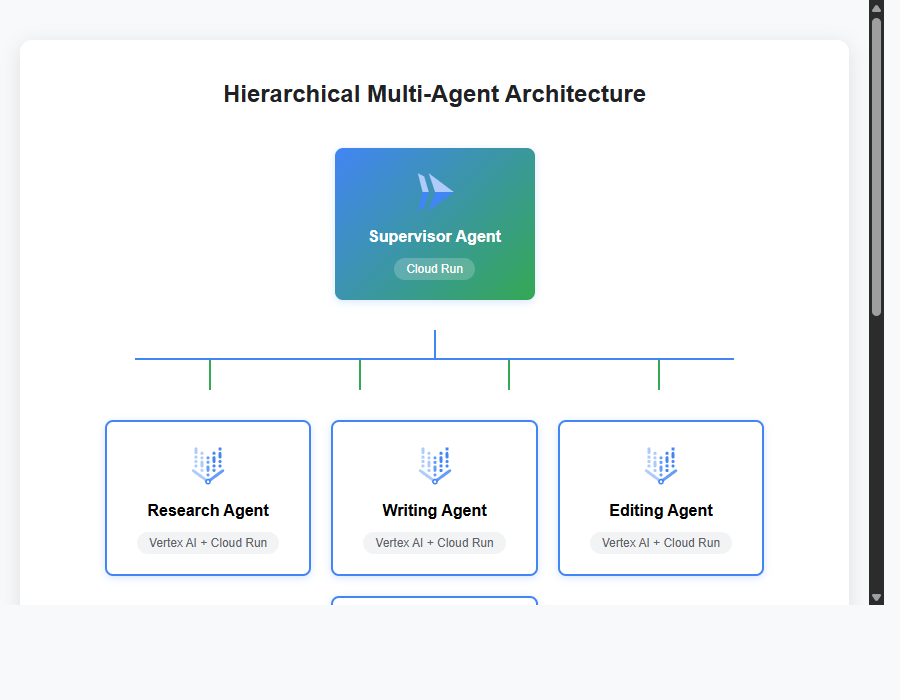
*Interactive visualization: Hierarchical Multi-Agent Architecture with Google Cloud Services*
**Architecture Components:**
Pattern 2: Peer-to-Peer Collaboration
### Pattern 2: Peer-to-Peer Collaboration
Agents communicate directly without a central coordinator, ideal for dynamic workflows.
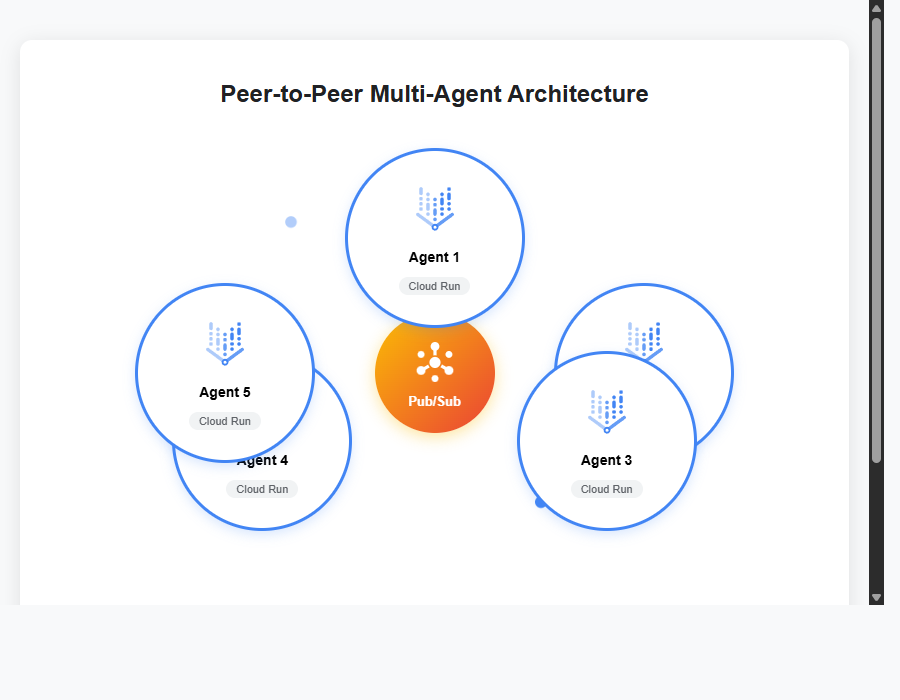
*Interactive visualization: Peer-to-Peer Multi-Agent Architecture with Pub/Sub Communication*
**Architecture Components:**
Pattern 3: Pipeline Architecture
### Pattern 3: Pipeline Architecture
Sequential processing where each agent's output becomes the next agent's input.
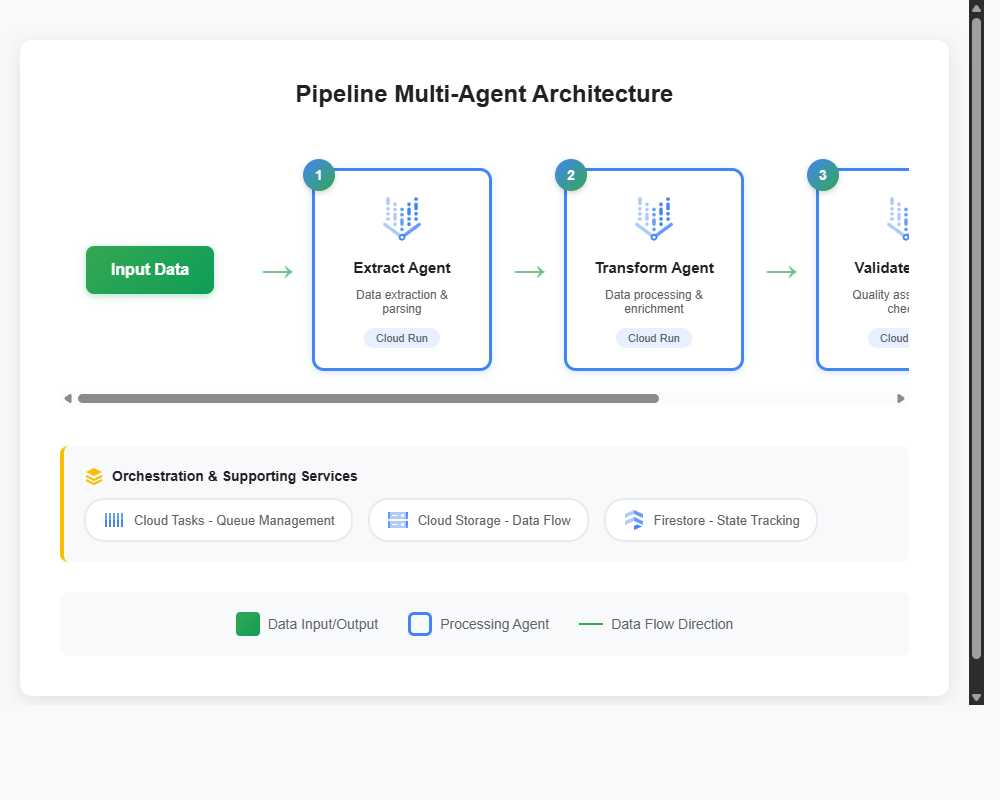
*Interactive visualization: Pipeline Multi-Agent Architecture with Cloud Workflows Orchestration*
**Architecture Components:**
Production Architecture Example
## Production Architecture Example
Here's a complete architecture for a content generation system with 3 agents:
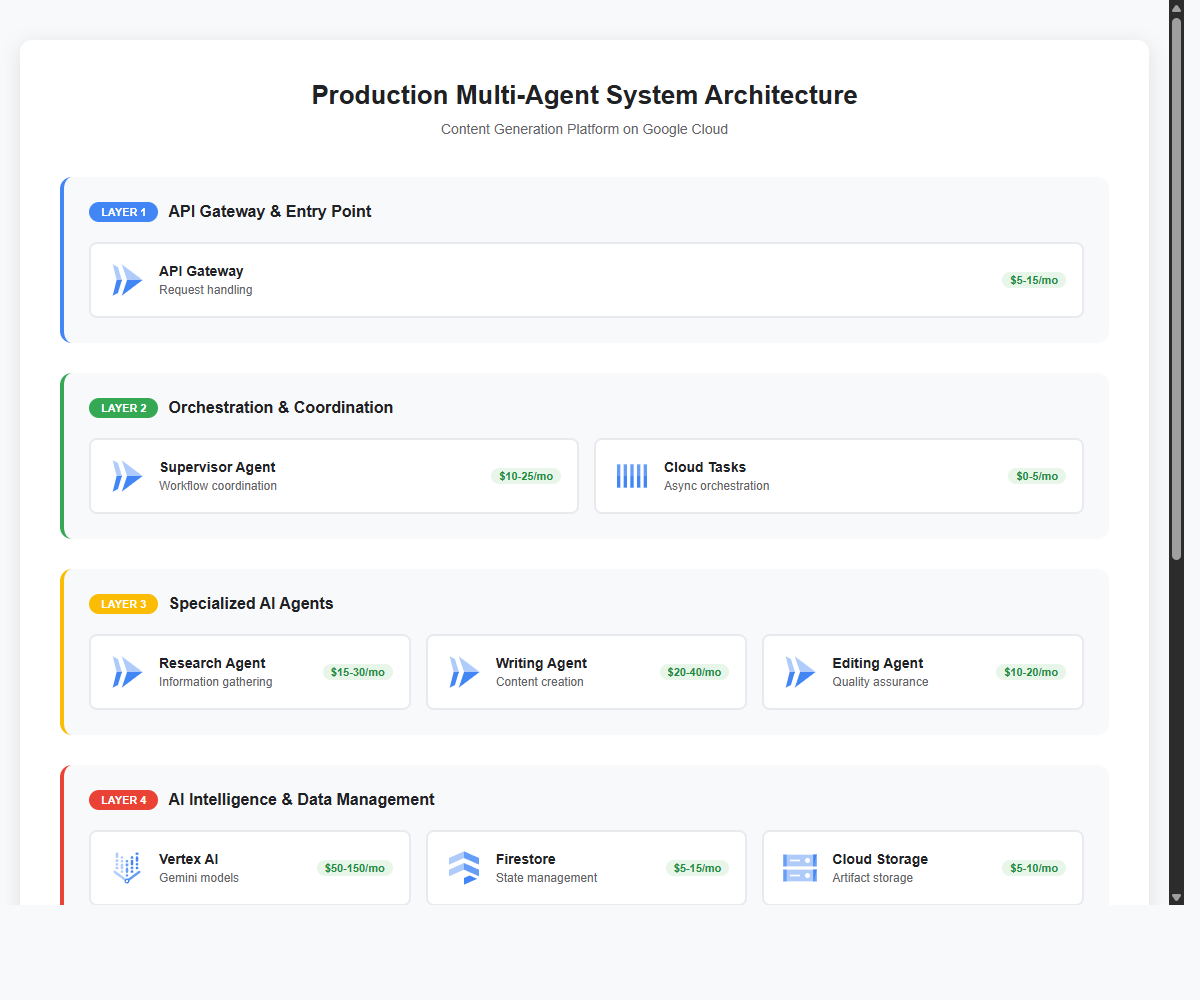
*Complete production architecture showing all layers of a multi-agent system on Google Cloud*
<div style="overflow-x:auto;">
| Component | Service | Purpose | Cost/Month |
|-----------|---------|---------|------------|
Benefits of Using Images vs iframes:
- Better Performance: Faster page load, no iframe overhead
- SEO Friendly: Search engines can index and show images
- Social Media: Better previews on Twitter, LinkedIn, Facebook
- RSS Feeds: Works in email clients and feed readers
- Accessibility: Easier to add alt text for screen readers
- Mobile Friendly: Better responsive behavior
- Print Friendly: Images render better when printing
Image Optimization Tips:
After conversion, optimize images with:
- TinyPNG (https://tinypng.com/) - Reduce file size by 60-70%
- ImageOptim (Mac) or Squoosh (Web) - Lossless compression
- Convert to WebP format for modern browsers (30% smaller than PNG)