· 7 min read
Idea → HTML → GIF: How I Create Social Content with Claude
Every animated post on my X account is made the same way: I hand Claude an idea, and a few minutes later there’s a looping GIF ready to publish. No After Effects, no Canva subscription, no AI-video credits. The whole pipeline is a markdown file, an HTML template, and one Python script.
Here’s the finished product, so you know where we’re going:

That’s an 800×800 GIF looping seamlessly every 6 seconds. It was rendered from a plain HTML file. This post walks through how the pipeline works and why HTML + CSS beats every other tool I tried for this job.
The pipeline at a glance
flowchart LR
    A["💡 Idea
docs, a feature,
a hot take"] --> B["📝 brief.md
Claude distills:
title, bullets, CTA"]
    B --> C["🎨 card.html
template + tokens
pure CSS animation"]
    C --> D["🎞️ render_gif.py
Playwright steps
the clock frame by frame"]
    D --> E["✅ final.gif
seamless 6s loop
< 15 MB for X"]
    E --> F["🚀 Post
X / LinkedIn
with caption"]
Three file formats, three transformations. Claude (running as an agent in Claude Code) does all of them without asking questions, because every decision an operator would make is already encoded in a config file or a template.
Step 1 — Idea → brief.md
The brief is the contract between “what I want to say” and “what gets rendered.” Claude reads whatever I point it at — release notes, a repo, a half-formed opinion — and distills it into one screenshot-able message:
This is the exact brief behind the GIF at the top of this post:
---
slug: testlogichub
kicker: TESTLOGICHUB
title: Pass your **Databricks** cert on the first try.
subtitle: Official-style practice exams — timed, weighted, and explained like the real thing.
cta: testlogichub.com
brand: TESTLOGICHUB
---
- [check] Every question comes with a full **explanation**
- [chart] Section weights match the **official exam**
- [shield] Data Engineer · ML · GenAI · Analyst tracks
- [loop] Timed runs, score history, retake anytime
The rules are strict on purpose: title ≤ 8 words, ≤ 4 bullets, one idea per post. **bold** becomes an amber shimmer in the title. Bullet prefixes like [loop] and [check] map to icons. If the brief doesn’t fit the constraints, the idea isn’t distilled enough yet — the format is a forcing function for clarity.
Step 2 — brief.md → animated HTML
A parser fills a token template ({{TITLE}}, {{BULLETS}}, {{CTA}}…) and writes card.html: an aurora background, icon chips, a shimmering headline, an orbiting accent dot, and a circular brand avatar in the corner. Every animation is pure CSS — keyframes only, no JavaScript timers.
Why HTML and CSS instead of a video tool?
- It’s free. No render farm, no credits, no subscription. A browser is the renderer.
- It’s diffable. The “design file” is text. Claude can edit it, review it, and version it like code.
- It’s brandable. Colors, fonts, and the avatar lockup live in one template. Every post looks like it came from the same account, because it literally did.
- It’s deterministic — which is the whole trick, and the next step explains why.
Step 3 — HTML → GIF, the clever bit
You can’t just screen-record a browser: timing jitters, frames tear, and the loop never lands back exactly where it started. The renderer takes a different approach — it freezes time and steps it manually:
sequenceDiagram
    participant P as render_gif.py
    participant B as Chromium (Playwright)
    participant G as Pillow
    P->>B: load card.html
    P->>B: pause all CSS animations
    loop 90 frames (15 fps × 6 s)
        P->>B: set animation-delay = -t (advance clock to frame t)
        B-->>P: screenshot frame t
    end
    P->>G: assemble 90 PNGs
    G-->>P: final.gif (perfect loop, zero drift)
Because the clock is stepped rather than observed, every frame is pixel-deterministic — render the same HTML twice and you get byte-identical GIFs.
The seamless loop comes from one arithmetic rule: every CSS animation period must divide the total duration. At 6 seconds, that means periods of 1.5 s, 2 s, 3 s, or 6 s. Frame 90 is identical to frame 0, so the loop has no visible seam — your eye never finds the restart.
/* ✅ loops seamlessly in a 6s GIF */
.orbit   { animation: spin 3s linear infinite; }
.shimmer { animation: sweep 2s ease-in-out infinite; }

/* ❌ 2.5s does not divide 6 — visible jump at the loop point */
.bad     { animation: pulse 2.5s ease infinite; }
Not every idea is a GIF card
The card template is the workhorse, but the format should follow the idea. The same pipeline routes to different renderers:
| If the idea is… | Format | Tool |
|---|---|---|
| an insight + a short list | Animated GIF card | the template above |
| a broad, relatable take | Editorial “magazine cover” | second template, serif headline |
| how something works or fails | Diagram | mermaid/HTML → PNG |
| a comparison or a number | Chart | HTML chart → PNG |
| a bespoke motion graphic | Custom CSS scene | hand-written HTML → same GIF renderer |
The editorial template trades the aurora card for a light magazine cover — same brief format, completely different feel:

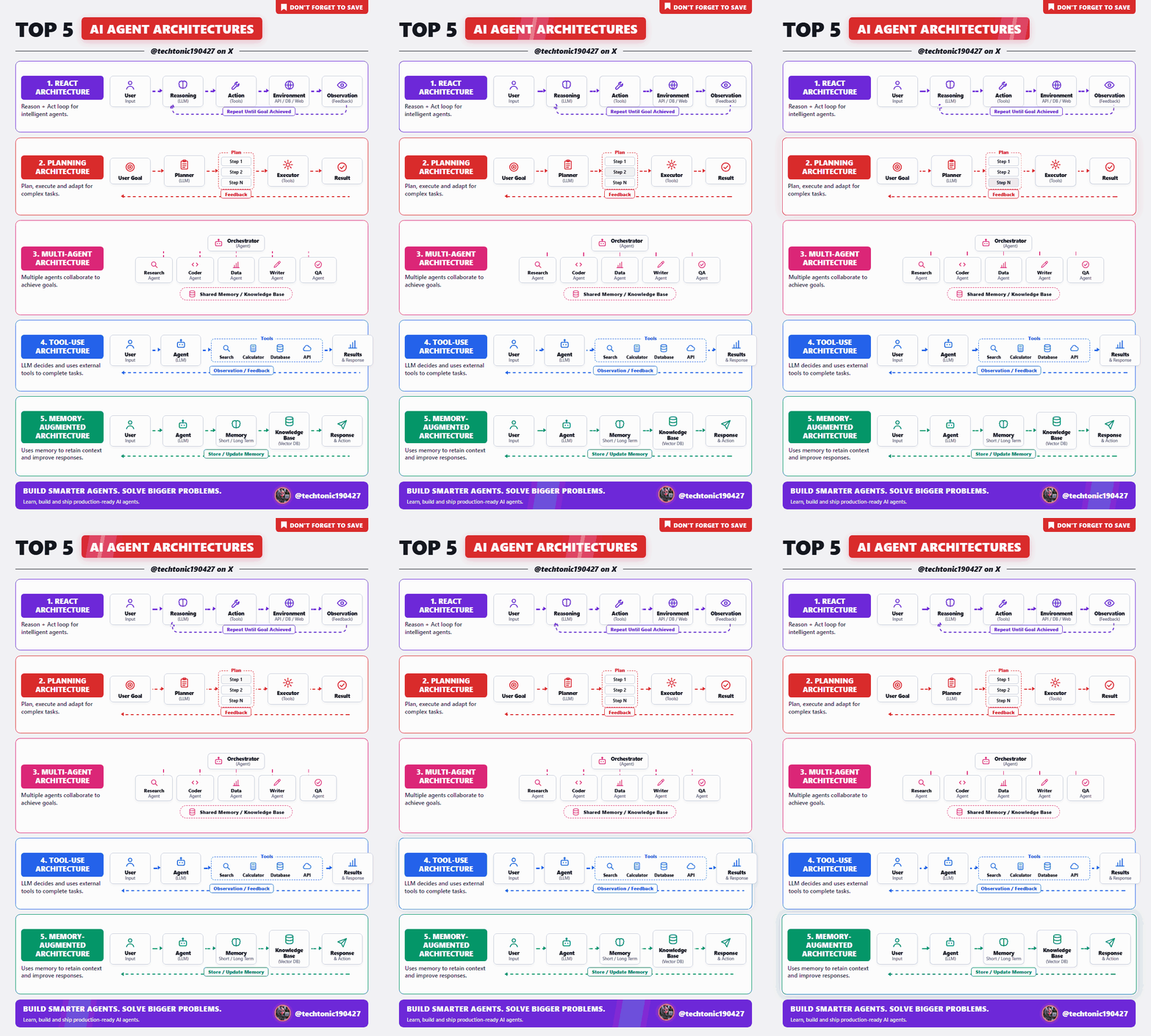
And when the idea needs a custom scene — an infographic, a diagram, a bespoke motion graphic — Claude writes the HTML from scratch. Same CSS-only rules, same renderer, same seamless loop:
What the agent actually does
This is where Claude stops being a copywriter and becomes the operator. Given “make a post about X,” the agent runs the whole chain:
flowchart TD
    A["Read the source material"] --> B["Write brief.md
+ caption.txt"]
    B --> C["python tools/make_post.py --slug the-slug"]
    C --> D["Extract a mid-loop frame
and look at it"]
    D --> E{"Text fits? Contrast OK?
File < 15 MB?"}
    E -- no --> B
    E -- yes --> F["Deliver GIF + caption"]
    F --> G["Human approves → post ships"]
Two details matter more than they look:
- The agent verifies visually. It extracts a frame from the finished GIF and inspects it — overflowing text and broken contrast get caught before I ever see the file. “It rendered without errors” is not the same as “it looks right.”
- Publishing stays human-gated. The agent stages the post; a human presses the button. Automation handles production, not judgment.
Takeaways
- Text in, pixels out. Markdown brief → HTML template → GIF. Every artifact is versionable, and the design system lives in one template file.
- Determinism beats recording. Pause CSS animations and step the clock — you get pixel-perfect frames and loops with no seam.
- Loop math is trivial but non-negotiable: every animation period must divide the GIF duration.
- Constraints are the quality bar. Title ≤ 8 words and ≤ 4 bullets does more for engagement than any filter.
- The marginal cost of a post is zero. The expensive part — taste, templates, pipeline — is paid once.
The stack: Claude Code as the agent, Playwright + Chromium as the renderer, Pillow for GIF assembly, and about 300 lines of Python holding it together. If you can write HTML, you already own a motion-graphics studio.